
Your Jira, Linear and Notion tickets, live in Figma
Paste a ticket ID and it lands in your file as an editable component. One click re-syncs every ticket, so status, assignee and fields are current for everyone who opens the file.
Available for:
'/%3e%3cpath%20d='M122.951%20122.489H0c0%2030.653%2024.85%2055.502%2055.502%2055.502h22.72v21.867c.02%2030.597%2024.798%2055.408%2055.396%2055.466V133.156c0-5.891-4.776-10.667-10.667-10.667z'%20fill='url(%23c)'/%3e%3c/svg%3e)


'/%3e%3cpath%20fill='url(%23b)'%20d='M65.18%2039.84L22.8%2076.36%203.21%2053.64%2065.27.16l61.57%2053.52-19.68%2022.64z'/%3e%3c/g%3e%3c/svg%3e)

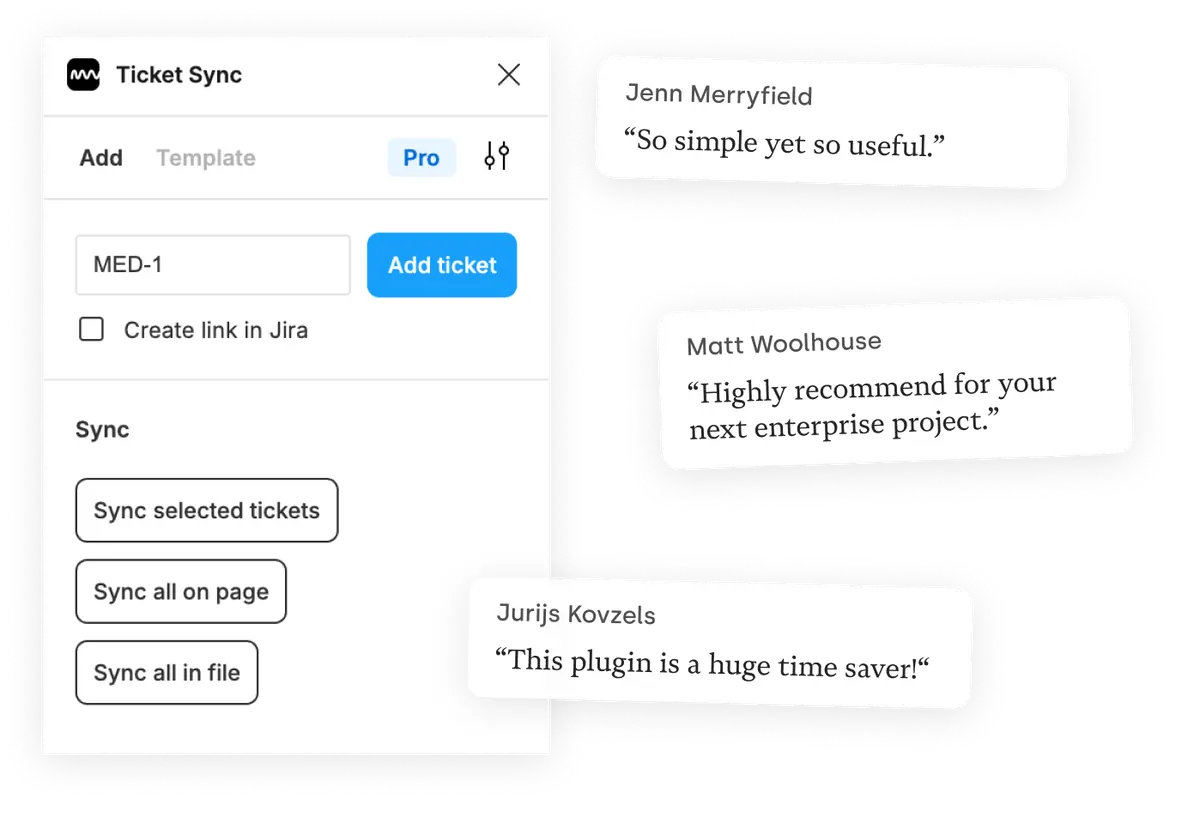
Used by 15,000+ Figmates
Matt Woolhouse
Love it! Ticket Sync keeps designers, product, clients — the whole shebang — in the loop. Highly recommend it for your next enterprise project.

Jakub Pelczar
Ticket Sync is great! We've been using it to set up a cooperation process between designers and developers working on the design system in our company.

Caleb Sanderson
So far so great! We had a very manual process to link back to our Jira tickets that was pretty painful. This should save us a lot of time.
Keep everyone in the loop
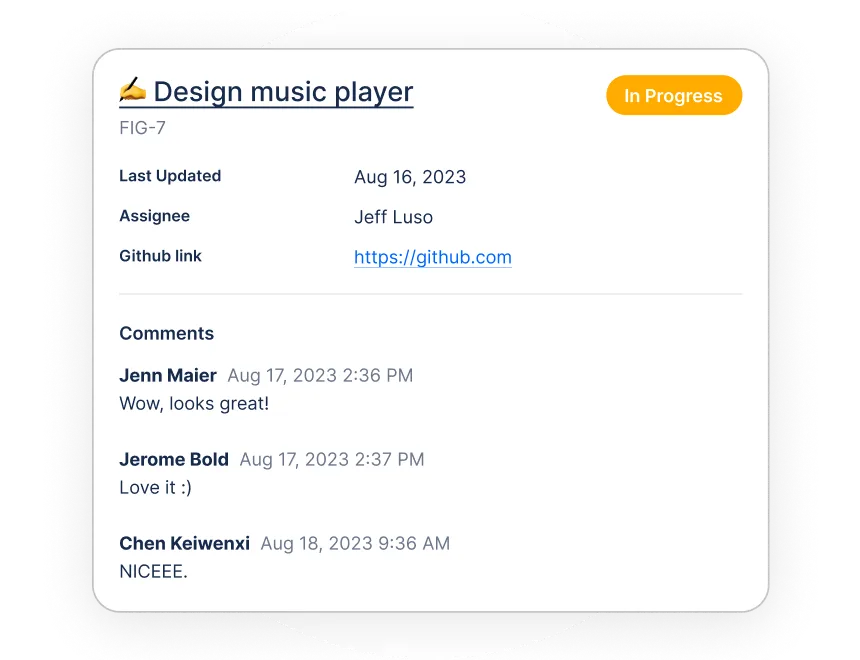
Display your progress
Display tickets in Figma and sync them all with one click. This way, everyone knows exactly what they are looking at and what status it's in when they open your Figma file.
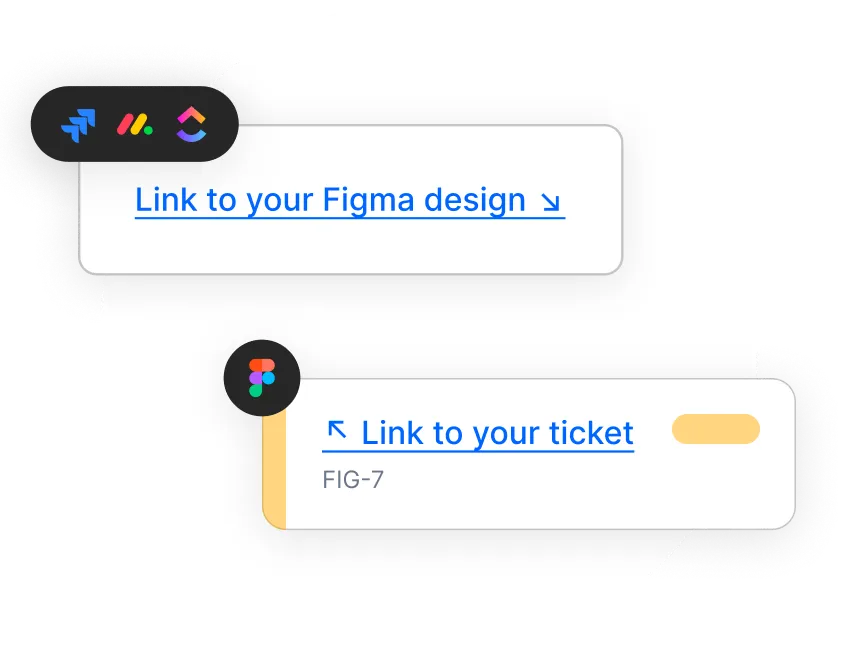
Bridge the gap
Create links to your project management tool and back. Developers and stakeholders will never ask again where to find your designs or whether they meet the requirements.
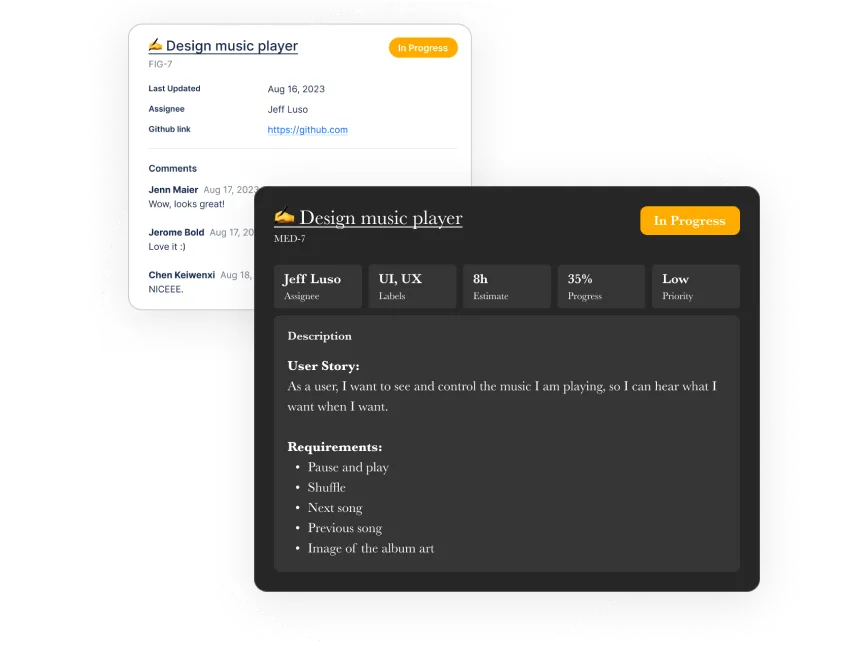
Focus on what's important
All tickets in Figma are simple components, which you can customize just like any of your designs. This way, you have full control over the content and style of your tickets.
Choose your tool
Ticket Sync works with Jira, Linear, Notion, GitHub, GitLab, Asana, ClickUp and Monday — including self-hosted Jira Server. Using a different tool? Request a new tool here.

Supercharge your design process
Free Plan
$0
forever
- Display tickets in Figma.
- Sync one ticket at a time.
- Link from Figma to your tickets.
- Customize the ticket style.
Individual Plan
$4
per month, billed $48 yearly
- Everything in the free plan.
- Sync multiple tickets at once.
- Display custom ticket fields.
- License for one Figma user.
Most popular
Team Plan
$10
per month, billed $120 yearly
- Everything in the free plan.
- Sync multiple tickets at once.
- Display custom ticket fields.
- License for 10 Figma users.
Questions people ask
Which tools does Ticket Sync work with?
Jira, Linear, Notion, GitHub, GitLab, Asana, ClickUp and Monday are supported today. One plugin covers all of them, and you can connect as many as your team uses.
Does it work with self-hosted Jira Server?
Yes. Most Figma integrations only speak to Jira Cloud. Ticket Sync also connects to self-hosted Jira Server running on your own domain, which is why it gets used in environments where Cloud is not an option.
What is free and what costs money?
Displaying tickets, syncing one at a time, linking back to your tool and styling the tickets are free forever. Syncing every ticket on a page or in a file at once, and displaying custom fields, are on the paid plans.
Where do my credentials go?
You connect each tool through its own OAuth screen, so Ticket Sync never sees a password. Requests are proxied because Figma plugins cannot call these APIs directly, and only what is needed to render a ticket is read.
What happens to tickets already placed in a file?
They are ordinary Figma components and stay where they are. A sync updates their content; your styling, position and any changes to the component survive it.
Do my teammates each need a license?
For the free plan, no. The paid plans are per Figma user: the Individual plan covers one, the Team plan ten. Every viewer of the file sees the synced tickets either way.