
'/%3e%3cpath%20d='M122.951%20122.489H0c0%2030.653%2024.85%2055.502%2055.502%2055.502h22.72v21.867c.02%2030.597%2024.798%2055.408%2055.396%2055.466V133.156c0-5.891-4.776-10.667-10.667-10.667z'%20fill='url(%23c)'/%3e%3c/svg%3e)
Jira + Figma
Your Jira issues, live in Figma
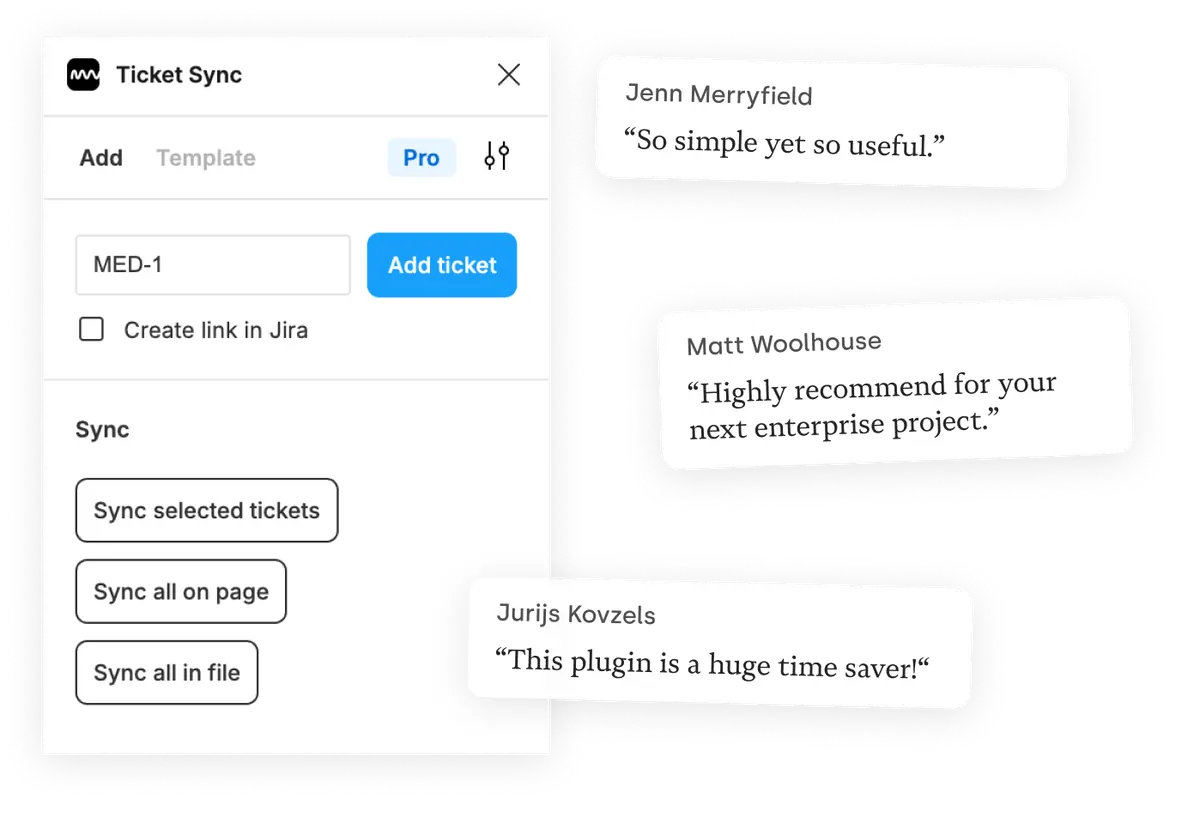
Paste an issue key and Ticket Sync pulls the issue into your Figma file as an editable component — summary, status, assignee and the fields your project defines. One click re-syncs every ticket on the page, so the file never shows a status from three sprints ago.
What you get
Jira Cloud and self-hosted Jira Server
Most Figma integrations only speak to Jira Cloud. Ticket Sync also connects to self-hosted Jira Server on your own domain, which is why it gets used in environments where the Cloud version is not an option.
A status that stays honest
Sync a single ticket, everything on the current page, or the whole file. Whoever opens the file sees what is actually in progress, not what was in progress the day the screenshot was pasted.
Links in both directions
Ticket Sync can write a link to your design back into the Jira issue, so developers reach the frame from the ticket instead of asking where it lives.
How it works
-
Install the plugin
Ticket Sync is free on the Figma Community. No account to create — you connect Jira from inside the plugin.
-
Connect Jira
You approve the connection on Jira's own screen. Ticket Sync never sees your password and you can revoke access there at any time.
-
Paste an ID and sync
Give the plugin an ID and the issue appears as a Figma component. From then on, one click brings the whole page or file up to date.
Jira and Figma — questions people ask
Does Ticket Sync work with self-hosted Jira Server?
Yes. Ticket Sync connects to Jira Cloud and to self-hosted Jira Server instances running on your own domain.
Which Jira fields can I display?
Summary, issue key, status, issue type and assignee are shown by default. The paid plans let you add any custom field your Jira project defines.
Do my Jira credentials go through your servers?
The connection uses Jira's own OAuth flow, so Ticket Sync never sees your password. Requests are proxied because Figma plugins cannot call the Jira API directly, and only the fields needed to render a ticket are read.
Can I restyle the tickets?
Every ticket is an ordinary Figma component. Change the type, colors or layout once — the next sync updates the content and leaves your styling alone.
Works with your other tools too
Ticket Sync is one plugin for all of them. Connect as many as you use.


'/%3e%3cpath%20fill='url(%23b)'%20d='M65.18%2039.84L22.8%2076.36%203.21%2053.64%2065.27.16l61.57%2053.52-19.68%2022.64z'/%3e%3c/g%3e%3c/svg%3e)
